
 Business telephony · UK-wide
3CX phone systems for UK businesses
When a customer rings, they want to reach someone who can help. If your team is split across sites, working from home or already on another call, 3CX gives you ways to route that call and decide what happens next. We Are Cloud can help you plan the setup around the way your team answers calls.
See how 3CX could work for your team
Browse screenshots from a 3CX demo, from the reception switchboard to taking business calls on your mobile. Choose any preview to jump to it.
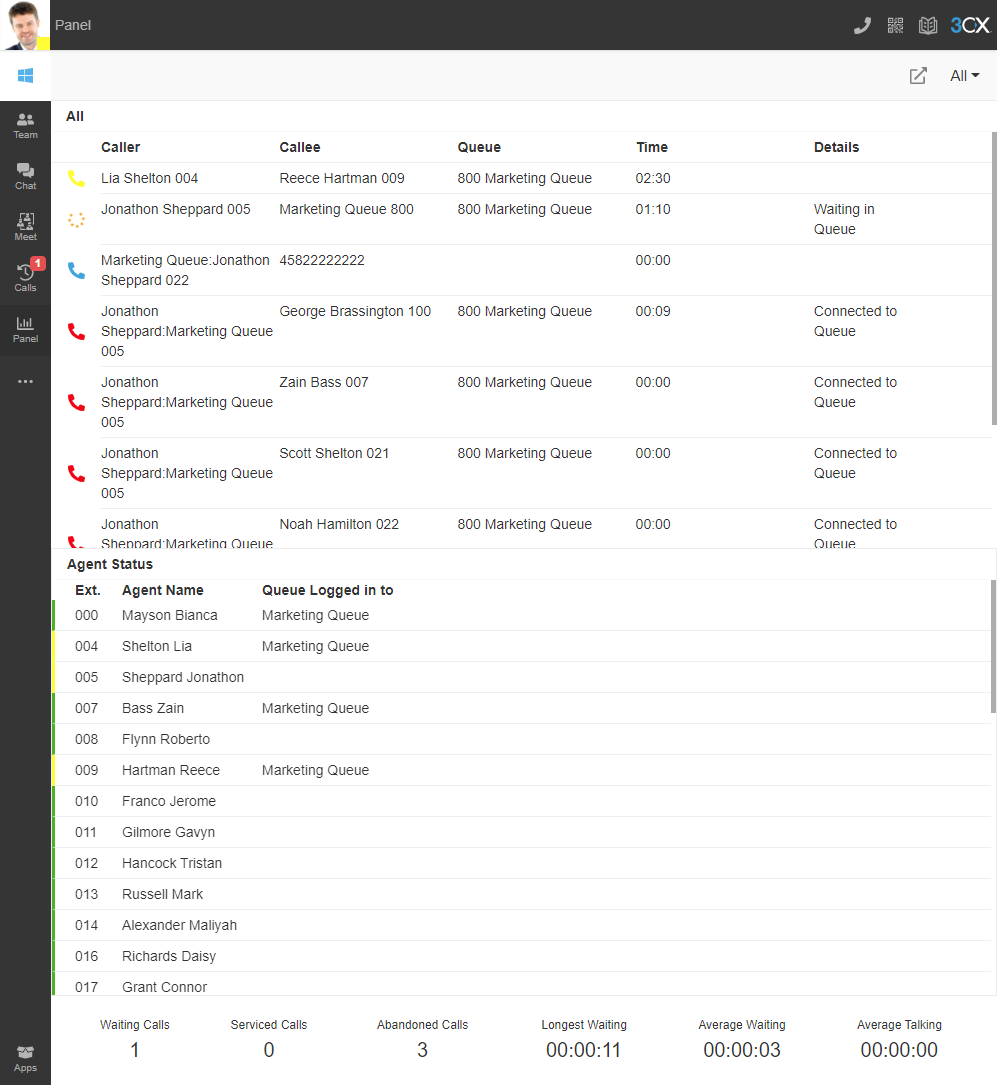
Reception switchboard
When the main number gets busy, reception can see calls in progress, who’s signed into the queue and who might be able to take the next caller. That’s useful when several people share responsibility for answering.
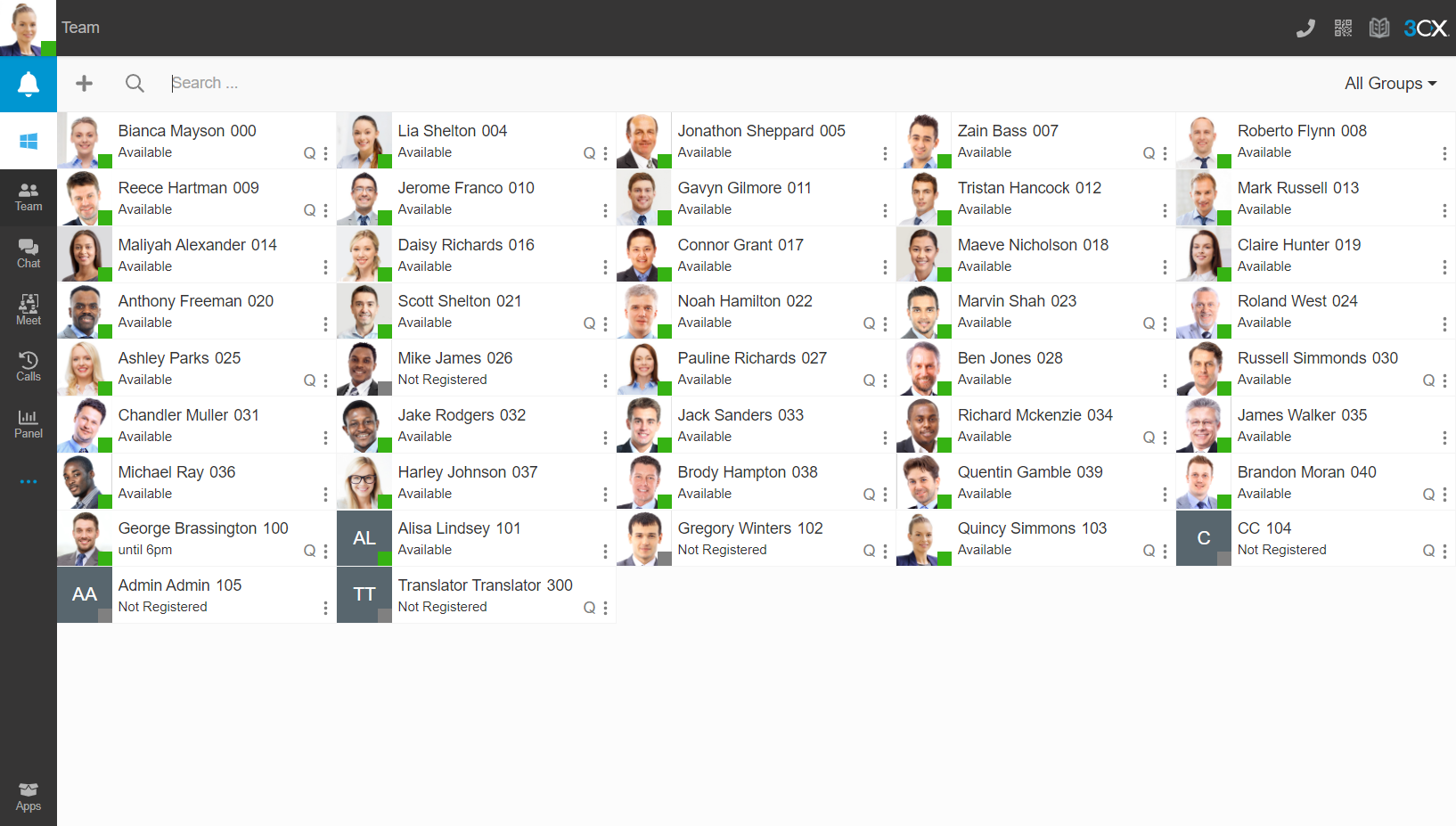
Web client and team availability
If a caller asks for accounts, check whether a colleague is available before transferring them. When nobody can take the call, use the call history to help follow up later.
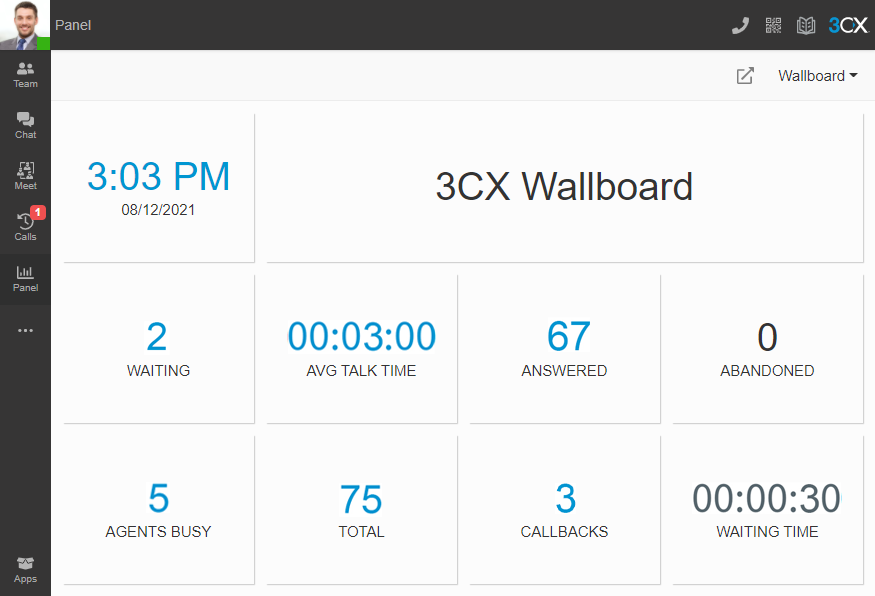
Queue wallboard
If callers are starting to wait longer than usual, the wallboard gives supervisors a quick view of the queue. They can see how many calls are waiting, answered or abandoned and decide whether to bring in another colleague.
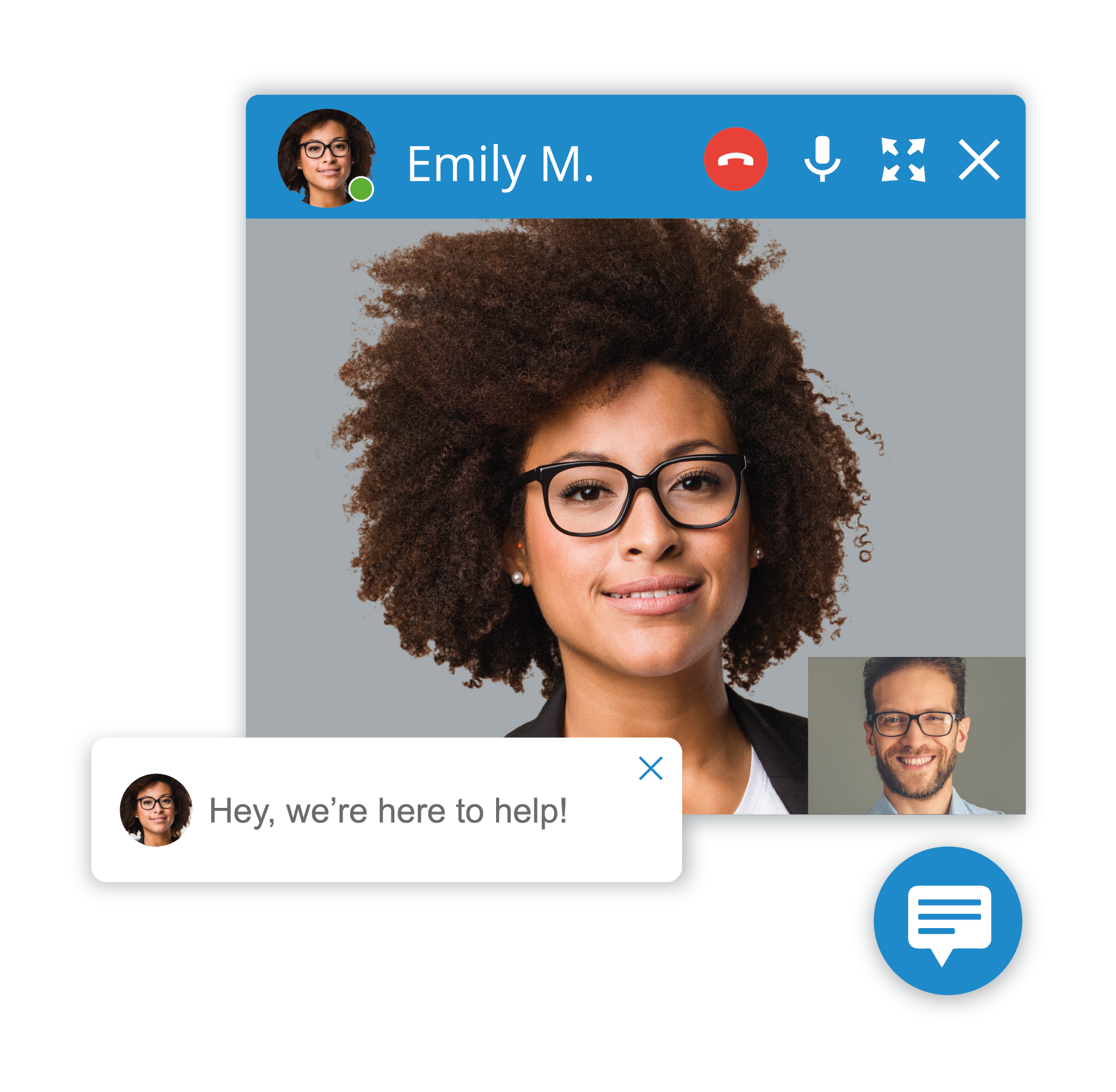
Website live chat
A visitor can ask a question while they’re still on your website. Your team can pick up the conversation in 3CX and, where configured, move to a voice or video call when it’s easier to talk things through.
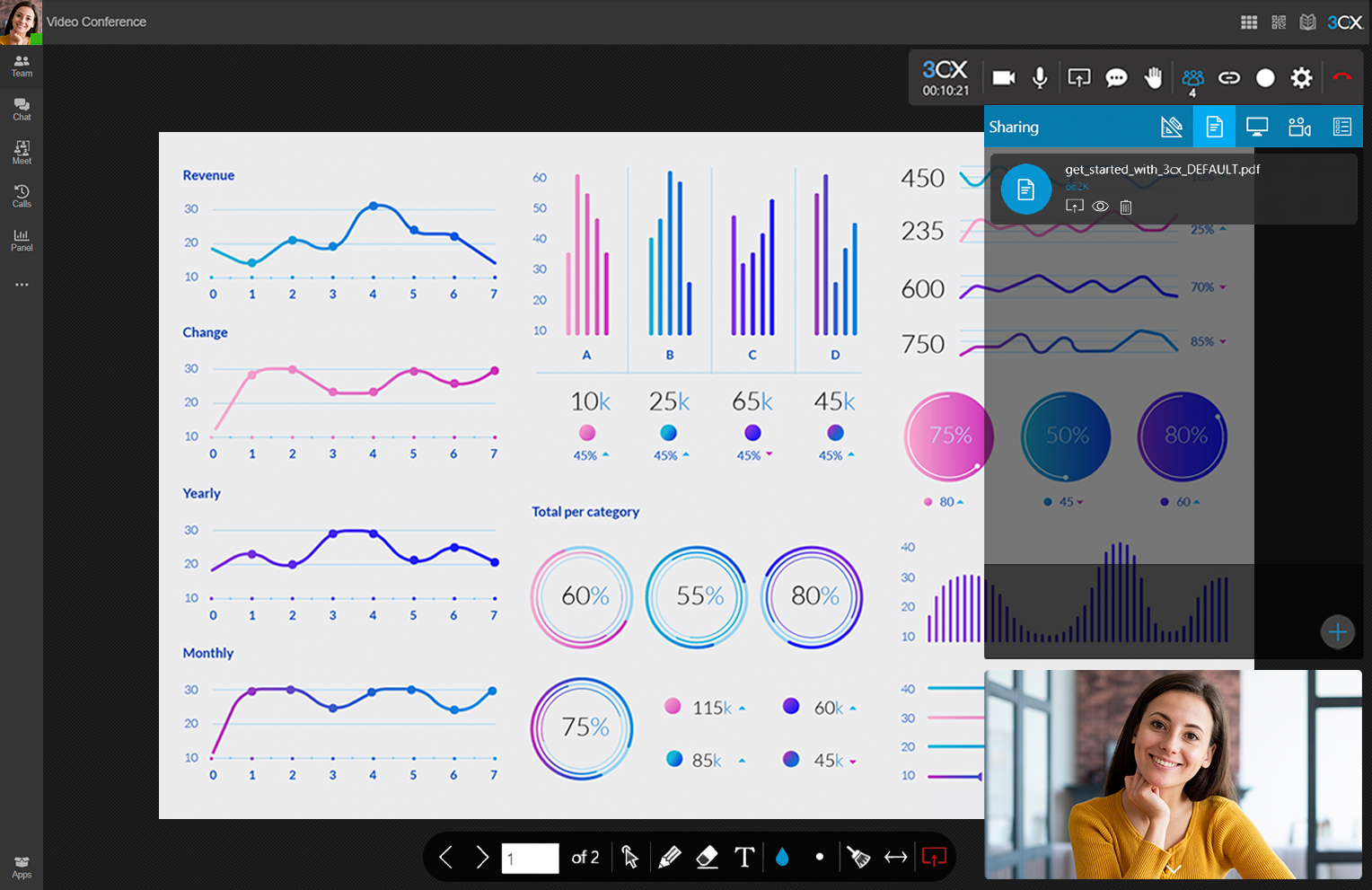
Video meetings and screen sharing
Walk a customer through a proposal, share your screen or mark up a PDF together during a meeting. It’s useful when you want to point to a specific detail while you’re discussing it.
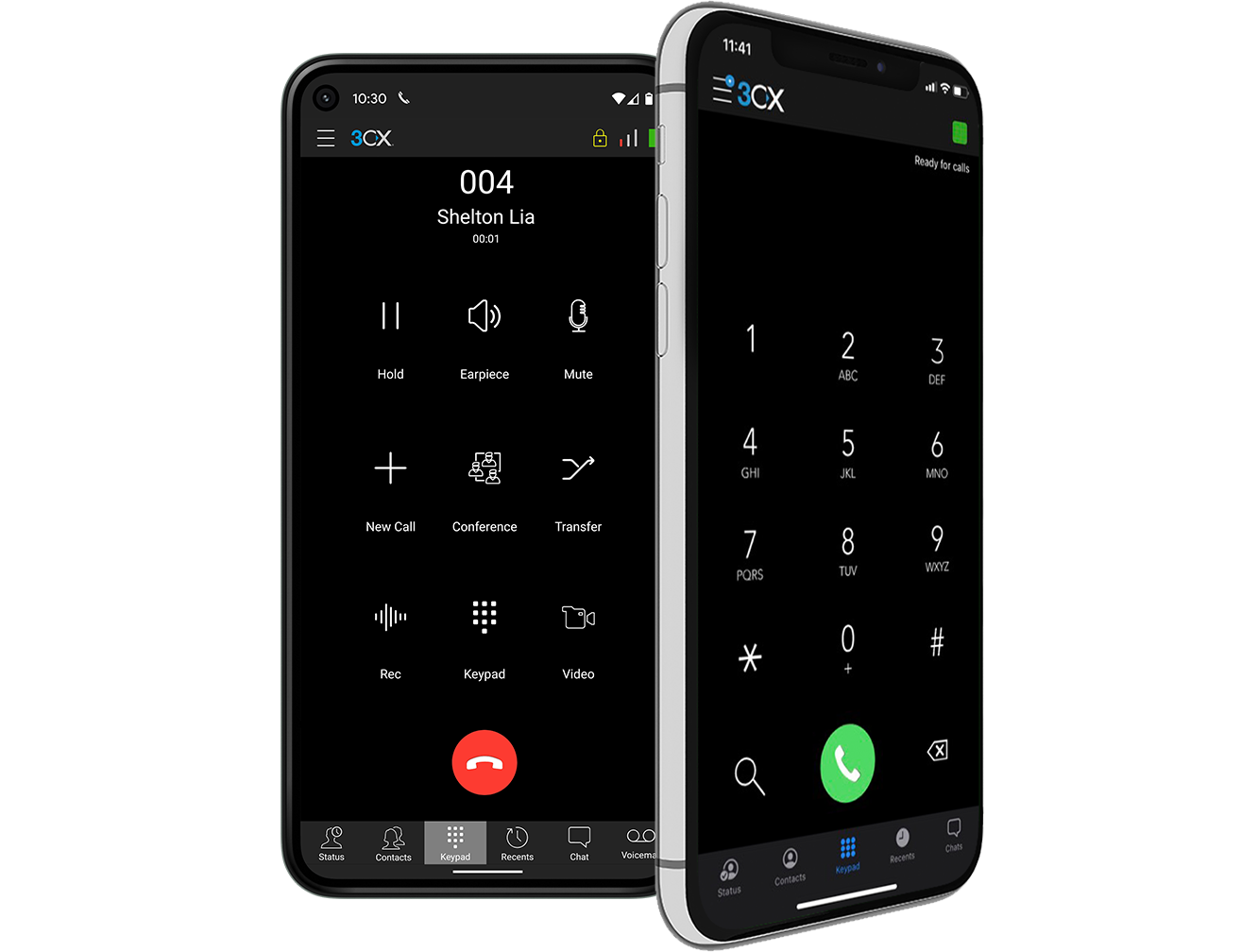
iPhone and Android apps
A colleague working from home or visiting a customer can use their business extension through the 3CX app. They can make and receive work calls without giving out their personal mobile number.
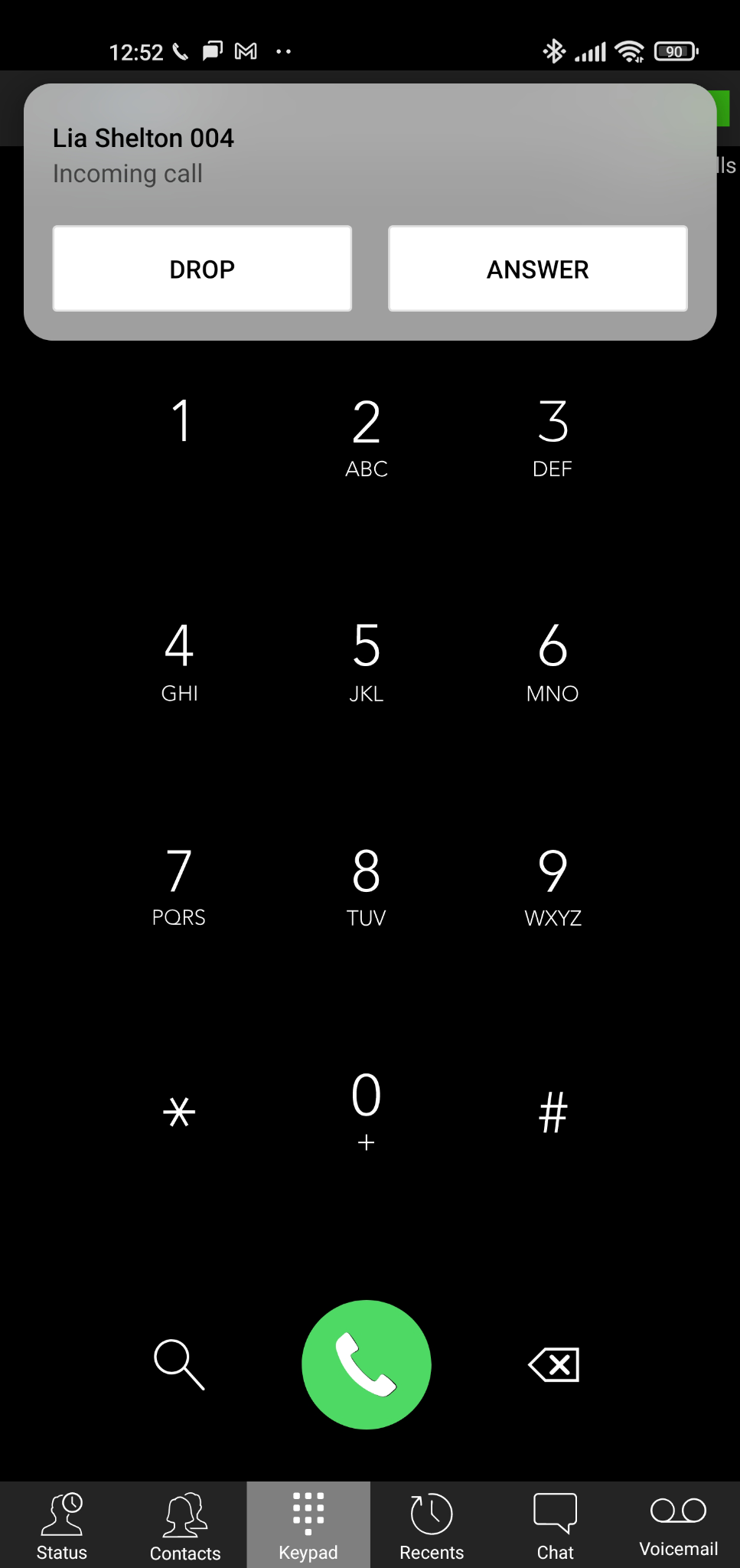
Incoming calls on mobile
When reception transfers a business call to someone away from their desk, the mobile app can notify them of the incoming call. They can decide whether to answer and catch up later if they’re busy.
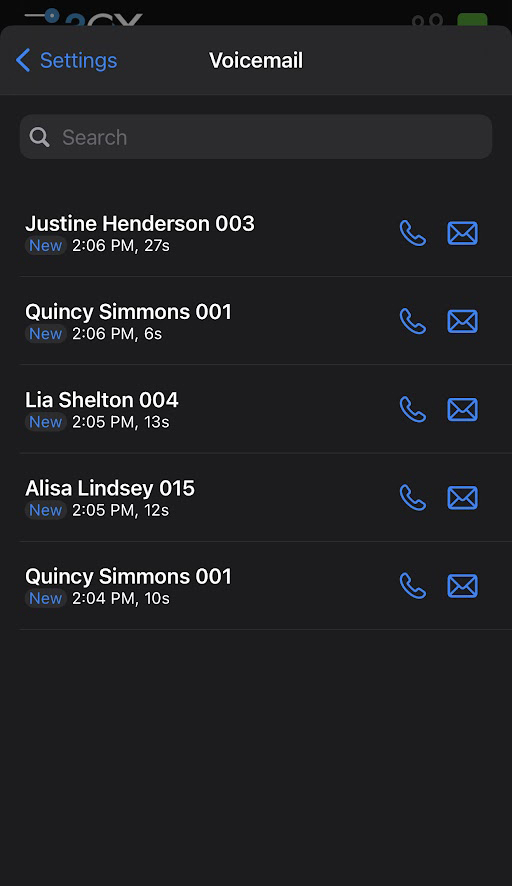
Voicemail on mobile
When a call goes to voicemail, staff can review their messages from the app when they’re free. That gives them a way to catch up on what the caller needed before ringing back.
Screenshots show demo data. The interface and available features can vary by version, edition and configuration.
Give callers a clear route to the right person
Start with what happens on a busy morning. Who answers first? How long should someone wait? Where should the call go if nobody is free?
Ring groups
Ring several extensions together or in order. That can suit a small team where anyone free can pick up the main number.
Call queues
Let callers wait for an available team member when everyone is busy. Agree what should happen when the wait gets too long.
Office and remote calling
Choose how each person will answer, from a supported desk phone to the 3CX web client or mobile app. Test transfers and voicemail with the people who use them.
Plan the move before your numbers transfer
Imagine your reception team answers the main number, sales covers overflow and someone at home deals with urgent calls. We’d map those routes with you, including lunch breaks, closing time and holidays. Then we’d test calls with the people who answer them, so they can practise picking up, transferring and retrieving voicemail.
Check the numbers and handsets you want to keep
Bring a list of your main number, any direct numbers and the handsets you use today. Number transfers depend on eligibility and the providers involved. Existing handsets need a compatibility check. We’ll work through both before agreeing a changeover date.
Size the licence for your busiest period
3CX commercial licences are annual and sized mainly by how many calls can run at the same time. Both internal and external calls count, and each licence size has a user or extension limit. Tell us how many people answer calls, when they’re busiest and which features matter. That helps us discuss the edition and capacity, and separate the licence from hosting, phone line, handset and setup costs.
Before you choose 3CX
Do we need a desk phone for everyone?
Staff can use the web client or mobile app, while teams that prefer a handset can use a supported model. Start by looking at how people work and where they need to answer calls.
Where can 3CX run?
3CX documents vendor-hosted, self-hosted cloud and on-premises options for commercial editions. Ask us which setup fits your requirements and how hosting and support would be scoped.
Can we keep our business numbers?
We’ll check whether your numbers can transfer and what the providers need before agreeing the move.
Talk us through a typical day on your phones
Tell us which numbers you want to keep, who answers them and where calls get held up today. A rough idea is enough to get started.
Recent Comments